Installing ecoTheme-core Plugin
After successfully activating ecoTheme, the next step is to install the ecotheme-core plugin. This plugin is essential for the full functionality of Ecotheme, providing additional features and customization options. Follow these steps to install the ecotheme-core plugin
Step 1: Navigate to Plugins
-
Log in to your WordPress Dashboard.
-
Go to
Plugins > Add New.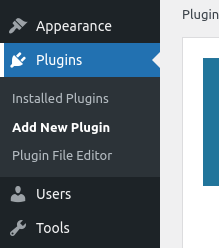
Step 2: Upload the ecoTheme-core Plugin
-
Click on
Add Newand then click onUpload Plugin.
-
Click
Add Newagain, then clickUpload Plugin > Choose File.
Step 3: Select the Plugin Zip File
-
Navigate to the
.zipfile for theecotheme-coreplugin on your computer.
-
Select the file and click
Install Now.
Step 4: Activate the Plugin
-
Once the installation is complete, click
Activate.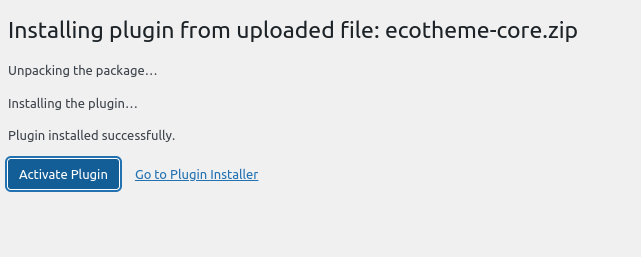
Step 5: Verify Plugin Activation
-
Go to
Pluginsto see the list of installed plugins. -
Confirm that the
ecotheme-coreplugin is listed and activated.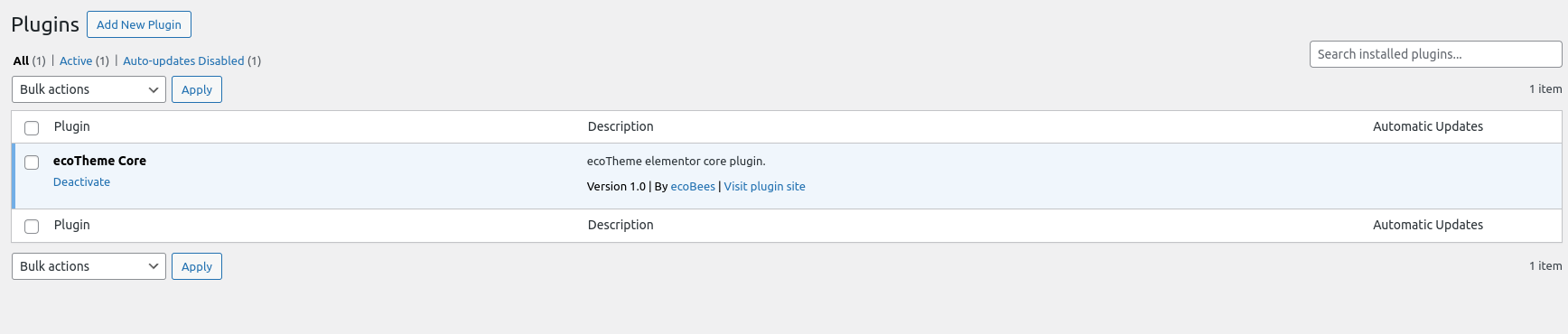
Step 6: Plugins Activated
Congratulations! You have successfully installed and activated the ecotheme-core plugin. Your ecoTheme installation is now complete, and you can start customizing your site with the additional features provided by the ecotheme-core plugin.
Next Steps
- Customize Your Site: Use the
ecotheme-coreplugin to customize your site's appearance and functionality. - Explore Additional Plugins: Consider installing other Ecotheme plugins to enhance your site further.
- Update Regularly: Keep your ecoTheme and
ecotheme-coreplugin updated to benefit from the latest features and security fixes.
Support and Documentation
If you encounter any issues or need further assistance, refer to the ecoTheme documentation or contact ecoTheme support.